Answer types
There are two levels for setting the type of answers in a question: at the question level, with a uniform type for all answers in the question, or within each answer environment.
Hence a question can contain answers of different types, in particular some can be of type multiple choice and others of input field types (see Different Answer Type).
There are Multiple Choice problems of different types: unique, multiple, yes-no, .... For details see the corresponding paragraph below. Do not confuse the term "type of MC-problems" with the term "type of answers".
Setting the type is done by the \type{...}-command, and the position of the command determines
how it works.
Example 1 (one type for all answers fields):
\begin{question}
    \type{input.number} % set for all answers

    \begin{answer}
        ...
    \end{answer}

    \begin{answer}
        ...
    \end{answer}

\end{question}
Example 2 (possibly different types for each answer):
\begin{question}
    \type{input.generic} % optional

    \begin{answer}
        \type{input.number} % this answer has to be a number
        ...
    \end{answer}

    \begin{answer}
        \type{input.function} % this answer is a function
        ...
    \end{answer}

    \begin{answer}
        \type{mc.multiple} % this answer block consists of a task with MC-choices.
        ...
    \end{answer}

\end{question}
In the second example, the command \type{input.generic} can be omitted, but each answer
environment needs to have a \type{...}-command. It is not possible to set a specific type
on question level and just overwrite it for some answers.
Notice that some features like \permuteAnswers won't be available if a question has different types of answers.
Input types
More detailed information on input field questions can be found under the following link: Overview input field questions
Here is just an overview of the types:
| Type | Preview |
|---|---|
| input.number example and detailed explanation |
 |
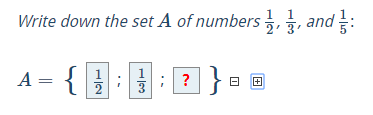
| input.finite-number-set example By default only numbers (e.g. 1, 5, 1.2, 2/3) are accepted values for the user input. With the command \allowForInput the set of valid symbols for the input can be extended. That allows for example to ask for multiple of pi: \allowForInput{+ - * / pi}. |
 |
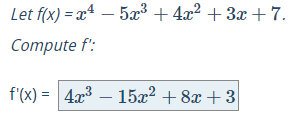
| input.function Compare the user's answer numerically with the pre-given solution or subject to given conditions example and detailed explanation |
 |
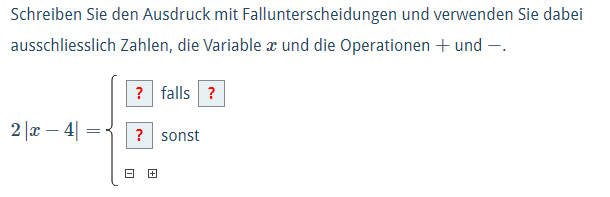
| input.cases.function Designed for case differentiations of e.g. absolute value functions. Note that you can only use this input type in an answer environment. example and detailed explanation |
 |
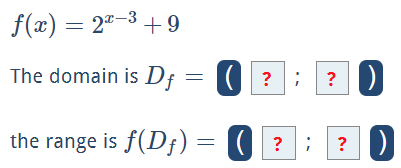
| input.interval By default only numbers (e.g. 1, 5, 1.2, 2/3) are accepted values for the user input. With the command \allowForInput the set of valid symbols for the input can be extended. That allows for example to ask for multiple of pi: \allowForInput{+ - * / pi}.example and detailed explanation |
 |
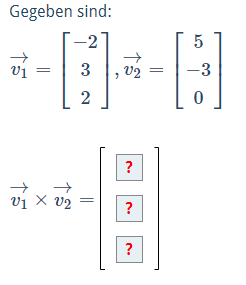
| input.matrix If the solution to a question is a row vector, a column vector or a matrix, the generic problem is of the type input.matrix. example (cross product) and detailed explanation Use checkAsFunction for comparing matrices with (multivariate) functions as matrix entries.example (Jacobian matrix) |
 |
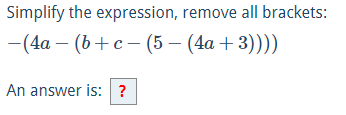
| input.text examples and detailed explanation |
 |
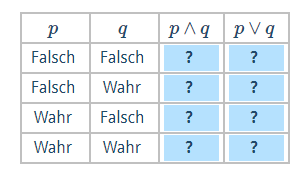
| input.truth-table The boolean values can be changed by mouse click example and detailed explanation |
 |
Multiple Choice types
More detailed information on MC questions can be found under the following link: Multiple choice questions
Here is just an overview of the types:
| Type | Preview |
|---|---|
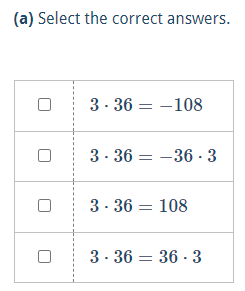
| mc.multiple Multiple choice questions example |
 |
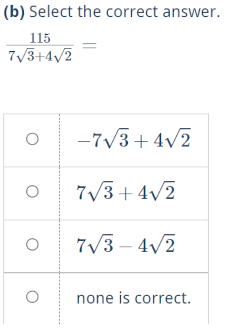
| mc.unique Multiple choice questions example |
 |
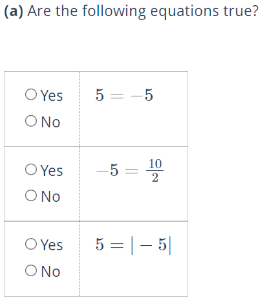
| mc.yesno Multiple choice questions example |
 |
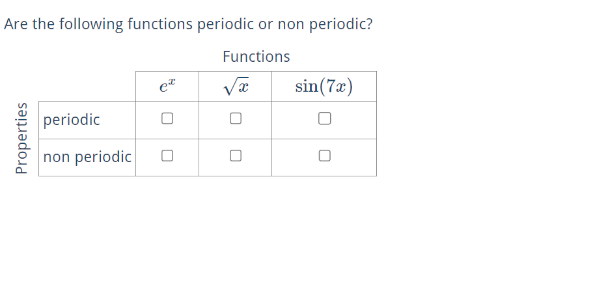
| mc.matrix Multiple choice questions example or detailed explanations |
 |
Graphics types
For question which are solved by interacting with a visualization, there are the answer types
\type{graphics.number},\type{graphics.function}and\type{graphics.matrix}.
For more details for JSXGraph visualizations, see the explanation on JSXGraph visualizations and in particular this section. For more details for CindyJS visualizations, see the explanation on CindyJS visualizations and in particular this section.